


Business management
Change management, because a system nobody uses has not been delivered
Free consultationNDA on requestReply within one working day
Process discovery
Discover
Adopt
Trusted by global clients and organisations
















The situation
Delivered, and quietly ignored
The signs are familiar: the old spreadsheet still open beside the new system, and a project marked complete while the work continues as it did before.
- The previous system still being used alongside the new one
- Training delivered once, at go-live, and never again
- Staff who first heard about the change when it arrived
- Workarounds appearing within weeks of launch
- Data quality falling because people enter the minimum
- A project declared successful on delivery rather than on use
What it covers
What change management covers
Impact assessment
Who is affected, how their day changes, and where the resistance will realistically come from.
Involving people early
Bringing the people who will use it into design, when their objections are still cheap to act on.
Communication
What is changing and why, told before it happens rather than announced on the day.
Training that fits the job
Role-specific and close to go-live, rather than one generic session weeks in advance.
Support after launch
Help available in the first weeks, when people are deciding whether the new way is worth persisting with.
Measuring adoption
Whether the system is actually being used, and where the old process is still running in parallel.
How we work
How change work runs
Alongside the build, not after it. Change management introduced at go-live is not change management — it is an apology with slides.
- 01
Understand the impact
Establish whose work changes and how, including the people whose jobs get harder before they get easier.
- 02
Involve and communicate
Bring users into the design and tell people what is coming, early enough that they can influence it.
- 03
Prepare and train
Role-specific training close to launch, with the people who will support their colleagues identified in advance.
- 04
Support and measure
Stay present after go-live, watch what is actually used, and fix what is being worked around.
Outcomes
What you are left with
- A system that is used rather than merely installed
- The old process retired instead of running in parallel
- Objections surfaced while they were still cheap to act on
- People trained for their role rather than in general
- Adoption measured rather than assumed
- Workarounds treated as design feedback instead of user error
Questions we are usually asked
You can, and it is the most common approach. It is also why the old spreadsheet is still open next to the new system a year later. Training tells people how; it does not address whether they believe the change is worth the disruption.
Resistance is usually rational. People have often been through a change that made their job worse, or they can see a problem the project has not considered. Treating it as information rather than an obstacle is generally more productive, and occasionally saves the project.
At the same time as the build, not after it. The most valuable input from users arrives during design, when acting on it is still cheap.
By what is actually used rather than what was logged into. Usage by feature, whether the previous process is still running, and data completeness are all more honest than a login count.
Scale it to the change. A tool used by three people needs a conversation, not a programme. A system that changes how forty people work every day is a different proposition.
Then find out why rather than pushing harder. Persistent workarounds usually indicate the system does not fit the work, and that is design feedback — the alternative is enforcing a process people are routing around for good reasons.
Talk to us
Talk to someone who has built this
Not a salesperson working from a form. Tell us what the problem looks like and someone who has delivered this kind of work will come back to you, usually within one working day.
Tell us what you need
No obligation, and nothing is shared outside Geecon Global.
Not sure where to start?
Where this usually connects
Project management
Delivery run by people accountable for the outcome.
Learn moreBusiness analysis
Mapping how the work actually runs before anything is built.
Learn moreBusiness automation
Taking the repetitive administration out of a process.
Learn moreDigital process automation
Approvals, workflows and handoffs that currently sit in an inbox.
Learn moreOperational systems
The systems that run the day-to-day work of the business.
Learn moreApplication development and maintenance
Building it, then keeping it running and current.
Learn more
Related work
- Charity
Digital transformation at scale for Compassion UK
Enhanced Supporter Experience — Faster, more engaging website and mobile apps.
Read the case study 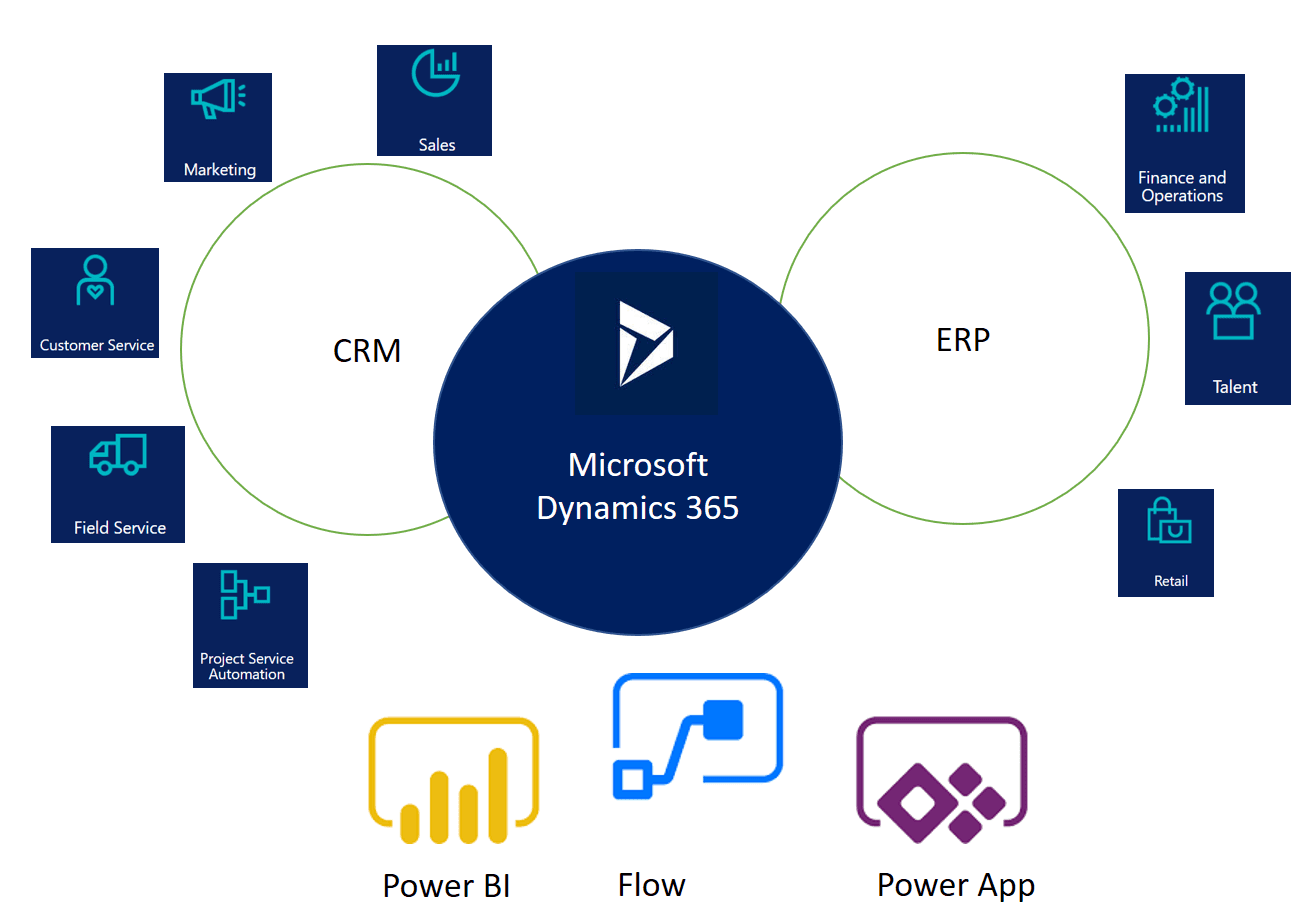 Membership
Transforming operations with Microsoft Dynamics 365
Operational Efficiency — Manual work reduced significantly with automated workflows.
Read the case study